 The Buddy System
Keep the good habit, not the guilt.
The Buddy System is six quiet apps for the things you already do: your tea, your coffee, your training, your reading, your next ninety days, and the scrolling you'd like to do less of. They notice the patterns so you don't have to.
On the App Store, or free in your browser · no account needed anywhere
They run on your phone, not my servers
No sign-up, no profile, no analytics SDK. The iPhone apps keep your journal on your device (and in your own iCloud, if you want it). I never see it.
They're built to be re-read
The journal is the point. The charts and streaks exist to make it worth flipping through a year from now.
No streak can shame you
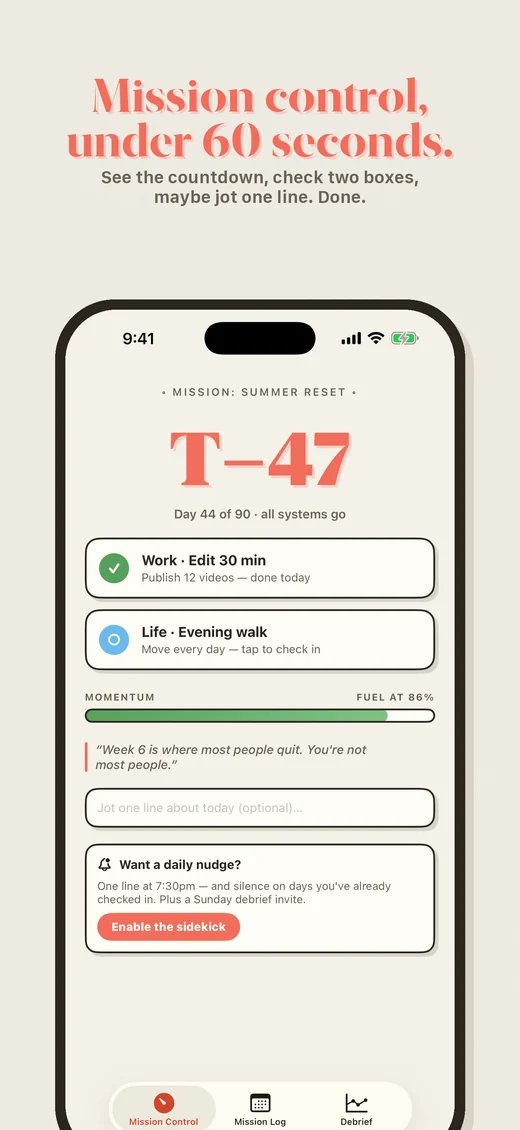
Momentum gauges that drift instead of shatter. Weekly and monthly chains, not just daily. Miss a Tuesday and nothing dies.
The six
Each one is small on purpose. Pick the one that matches the thing you're already doing.

TeaBuddy
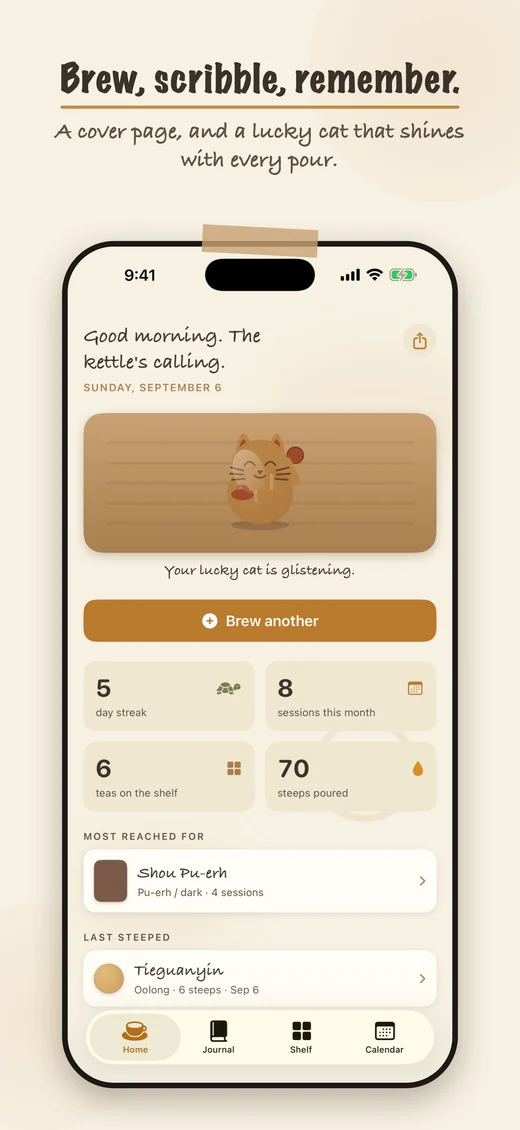
A session is a rinse and many short steeps. TeaBuddy journals all of them, with a timer that rings through a locked screen, a shelf, cost maths, and a calendar of brew-coloured dots.
🍵 Learn more
CoffeeBuddy
Eight brew methods with sensible starting recipes, pour-by-pour logging, and an Insights tab that mines your own journal for the ratio and temperature where your best cups cluster.
☕️ Learn more
TransformationBuddy
Three streak chains instead of one breakable one, a journal that asks better questions than a weight box, photos pinned against Day 1, and a 7-day trend that ignores the daily noise.
🌱 Learn more
T minus 90
A mission, not a streak. Commit to exactly two quests, watch the clock count down to Launch Day, and keep a momentum gauge that drifts on a miss instead of shattering.
🚀 Learn more
BookBuddy
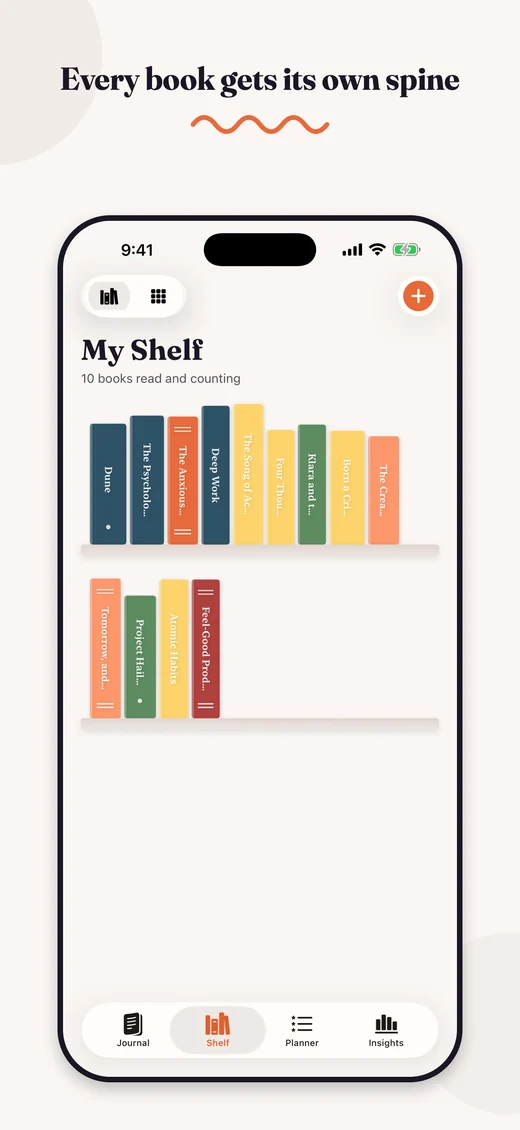
Notes, quotes and reviews in a flip-through chronology, a shelf where every book gets a drawn spine, a TBR planner, and a Wrapped-style report of your reading year.
📚 Learn more
SwipeBuddy
A daily budget for TikTok, Reels and Shorts that ends in a real block until midnight, not a reminder you swipe away, with a limit that can step down a little every week.
⏳ Learn more iPhone & iPad onlyFive of them run in your browser.
Timers, journals, charts and exports, on whatever computer or phone you're using.
- Free, with no account, no email and no card
- Works on Android, Windows, Linux, a Chromebook, a work laptop
- Installs to your home screen and runs offline
- Your journal stays in your browser, and you can export it as JSON whenever you like
Open one now
It loads straight away. Nothing to sign up for.
SwipeBuddy is iPhone and iPad only: Screen Time doesn't exist in a browser.
How the web version works
No sign-up, no password, nothing to cancel.
Open it
Pick an app and it loads in your browser. There's no account, so there's nothing to fill in first.
Keep it
Add it to your home screen or dock and it behaves like an app, offline included.
Back it up
Your journal lives only in that browser. Export a JSON file now and then, and you can import it anywhere.
Questions people actually ask
Are the web apps really free?
Yes. No trial, no account, no card. They run entirely in your browser, so they cost me next to nothing to host, and I'd rather people used them than didn't.
So how is any of this paid for?
The iPhone apps. Some are a one-time purchase, and SwipeBuddy has an optional Pro plan. If one of them earns a place on your phone, buying it (or leaving a review) is what keeps this going. Here's where the money actually goes.
What's the difference between the iPhone app and the web app?
Same journal, different home. The iPhone apps add widgets, reminders, iCloud sync between your devices, and the camera tricks like label scanning. The web apps run on anything with a browser, but your journal lives in that one browser. They don't share data; export from one and import into the other.
Where does my data live?
In the web apps, entirely in your browser's local storage on the device you're using. I don't upload it, I can't read it, and it doesn't sync between devices. That's why every app has a JSON export and import. On iPhone, it's on your device and in your own iCloud if you enable it.
Do I need an account for anything?
No. Not on iPhone and not in the browser. Nothing on this site asks for a password.
 Who makes this
Built by one person, in the evenings.
I'm Matt, an engineering PhD student at the University of Tennessee. These six apps started as tools I wanted and couldn't buy, and what you pay covers Apple's $99 developer fee, this domain and the hosting. The rest goes to tuition.
No investors, no ads, no analytics, no data sale. That's not a marketing position; it's just what a one-person project looks like.
Read the longer versionWhat being small buys you
- No accounts anywhere, because nobody's asking me to build a funnel
- Bought once, not rented forever
- Your journal stays on your device; I've built it so I can't read it
- A person reads the support email. It's me.
Start with whichever one you'd actually open tomorrow.
That's the whole trick. One small app, one thing you already do.